UNIQUE is a simple way to clean and analyse data.
Instead of:
• Removing duplicates manually
• Building a Pivot Table
• Copying data to another sheet
Just use:
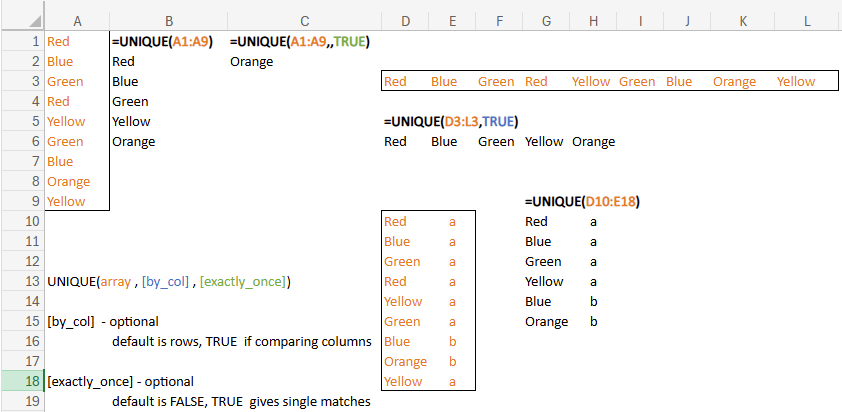
=UNIQUE(A1:A9) → unique values from list
=UNIQUE(A1:A9,TRUE) → unique values from horizontal list
=UNIQUE(A1:A9,,TRUE) → unique values from list that appear once
The spilled array returned is updated as the underlying data changes making it ideal for use in dropdowns and dashboards.
Can be used over multiple columns.
I regularly combine this with SORT and FILTER as the building blocks of data analytics in modern Excel.